A+ Gallery - most advanced photo gallery for Android
  • Home
  • Get Help
    • Get started >
      • Get started with A+ Gallery
    • Managing albums >
      • Create albums
      • Move photos to album
      • Resolve issues with deleting photos
    • Secure vault >
      • Setup your secure vault
      • Ways to hide your secure vault
      • Restore secure vault photos
      • Reset secure vault password
    • Account >
      • Delete my account
    • Connect with A+ Gallery >
      • Get technical support
  • Media Kit
  • Contact

Ways to hide your secure vault

After you setup your secure vault, it's shown in all your albums. If you want want to attract attention to your secure vault, there's a few techniques you could employ to either hide it, or make it blend in with other albums.

Hide your secure vault

One way is to simply hide your secure vault just like another album. When you need to check you secure vault, go to menu and find 'Show Hidden Albums' to find your secure vault, then you'll still need secure vault password to access your secure vault.
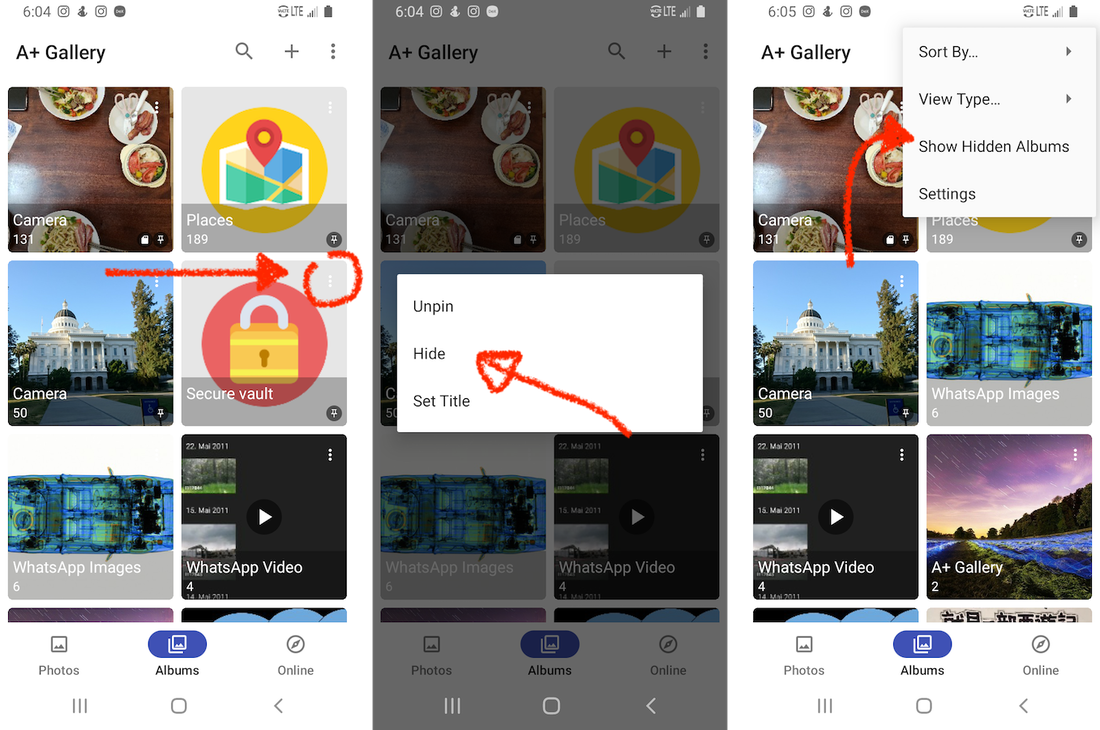
Picture

Set a cover image and title for your secure vault

Alternatively, you can set a cover photo and title to your secure vault, to make just look like another regular album. For example, you can set a picture of house flooring as cover, and the title as 'Flooring fix 2022', who's going to know that's your secure vault?
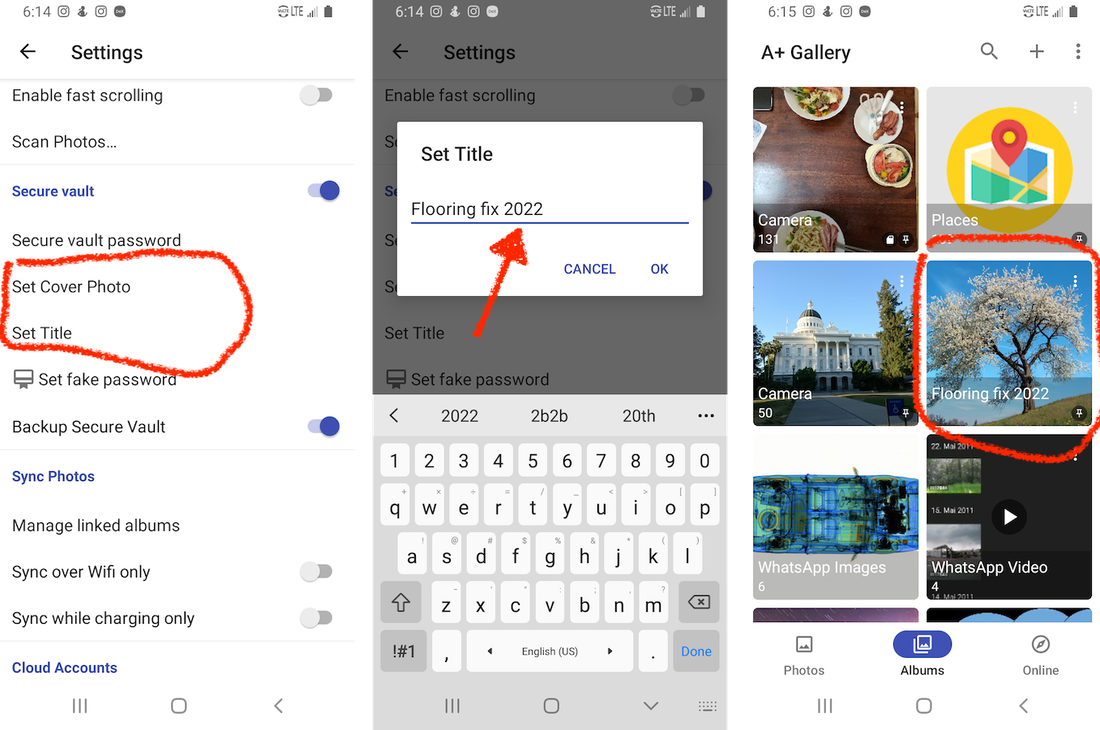
Picture

Download

Google Play

Company

About
The Company
Menu

Support

Contact
​Delete my data
Privacy policy
Terms of Use
© COPYRIGHT 2014-2022. ALL RIGHTS RESERVED.
  • Home
  • Get Help
    • Get started >
      • Get started with A+ Gallery
    • Managing albums >
      • Create albums
      • Move photos to album
      • Resolve issues with deleting photos
    • Secure vault >
      • Setup your secure vault
      • Ways to hide your secure vault
      • Restore secure vault photos
      • Reset secure vault password
    • Account >
      • Delete my account
    • Connect with A+ Gallery >
      • Get technical support
  • Media Kit
  • Contact